No Products in the Cart
We have been busy creating new products - Take a look here New Products

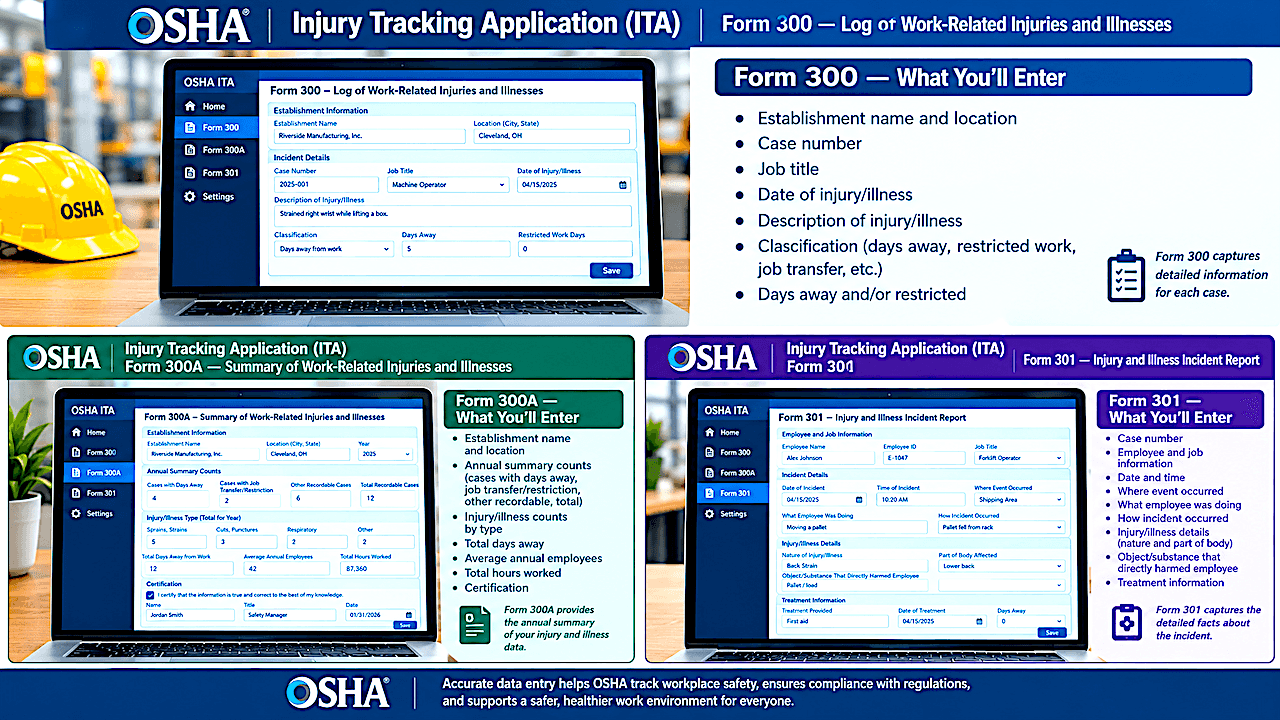

OSHA’s Injury & Illness Tracking Application (ITA) is the federal system used by covered employers to electronically submit workplace injury and illness information. For warehouse owner-operators and safety professionals, the first step is not entering data—it is determining whether the establishment is required to report electronically into OSHA's ITA.
OSHA’s requirements apply at the establishment level, not simply to the company as a whole. Under 29 CFR 1904.41, establishments with 20–249 employees must electronically submit Form 300A information if their industry is included in Appendix A to Subpart E. Establishments with 250 or more employees that are required to keep OSHA injury and illness records generally must submit Form 300A information, subject to the regulation’s exemptions. In addition, establishments with 100 or more employees in industries listed in Appendix B to Subpart E must electronically submit information from Forms 300 and 301, as well as the required Form 300A information.
That means a warehouse with 20 employees does not automatically have an ITA reporting obligation. The establishment's employee count and its NAICS industry classification must be considered together. OSHA provides an ITA Coverage Application to help employers make this determination. It is also important to distinguish between recordkeeping and electronic reporting. An employer may be required to maintain OSHA Forms 300, 300A and 301 without being required to electronically transmit all of that information to OSHA. Conversely, OSHA can require an establishment to submit information if the agency specifically notifies it to do so.
When Should the Data Be Entered?
ITA reporting is an annual submission, not a system that normally requires employers to enter every injury immediately after it happens. The underlying recordkeeping work required for OSHA's ITA, however, should be completed throughout the year so that the annual forms are accurate and ready for submission. Covered establishments submit the required information for the preceding calendar year by March 2 of the following year. For example, 2025 injury and illness data was due March 2, 2026. OSHA currently advises establishments that missed the March 2 deadline to submit their required data anyway; late submissions can be made through the ITA during the applicable collection period.
For warehouse operators, a practical approach is to treat the ITA as the final step in an annual recordkeeping process. During the year, determine which cases are OSHA-recordable, maintain the OSHA 300 Log and prepare the 301 Incident Reports when required.
At year-end, review the records, complete the 300A Summary, verify employee counts, confirm the establishment’s NAICS classification and determine whether 300/301 electronic reporting applies. This approach reduces the risk of discovering a missing case or incorrect classification just before the March 2 deadline. OSHA specifically states that establishments required to keep OSHA records must complete a Form 300A summary each year, even when there were no recordable injuries or illnesses.
Step 1: Create Your ITA Account and Establishment
To begin, go to OSHA’s Injury Tracking Application and sign in through Login.gov. A first-time user must create an ITA account and a Login.gov account using the same email address. OSHA recommends using an individual email account that the responsible person will continue to have access to rather than a shared mailbox. Existing users do not need to create a new ITA account every year. After logging in, review your account profile and then create an establishment profile if one does not already exist.
This establishment step is particularly important for warehouse operations with multiple facilities. Each covered establishment must be reported separately. When creating the establishment profile, enter the establishment name, EIN, legal company name, physical address, NAICS industry code or description, peak employee count and government/private-sector status. The employee count is the peak number of employees at any point during the year, and OSHA's instructions explain that this can include part-time, seasonal, migrant, salaried and hourly workers, as well as certain workers not directly on the payroll when the employer supervises them day to day. Once the establishment profile is saved, it can be reused in subsequent reporting years.
Step 2: Enter the Form 300A Summary
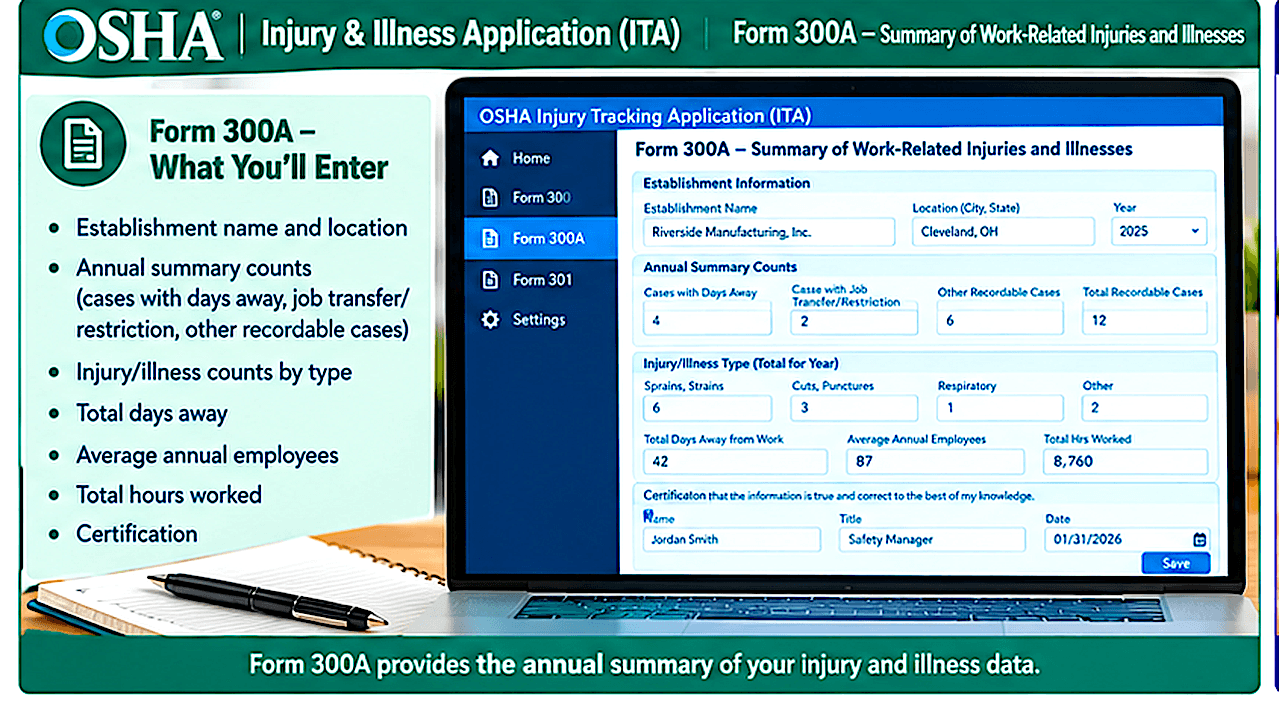
For one warehouse—or only a few establishments—use of OSHA's ITA online forms (rather than preparing a CSV file) may be preferred. From the ITA home page, select View Establishment List, choose the appropriate establishment, and select Add 300A Data. The application will present the Form 300A summary screen. Enter the information from the completed OSHA Form 300A, including the required case totals and employee/work-hour information. OSHA's current user guide states that each field on the online 300A form is required. After entering the information, select Submit.
The system will provide an initial confirmation and then a second confirmation indicating whether the submission was successful. The establishment's status should change to Submitted; if it does not, refresh the page and verify the submission status. Keep the confirmation for your records. OSHA also calculates the establishment's Total Case Incident Rate (TCR) and Days Away, Restricted or Transferred (DART) rate from the information entered. For larger companies with numerous facilities, OSHA provides a CSV upload option that allows multiple establishments to be submitted together, as well as an API option for organizations using automated recordkeeping systems.
Step 3: Enter Form 300 and 301 Case Data When Required
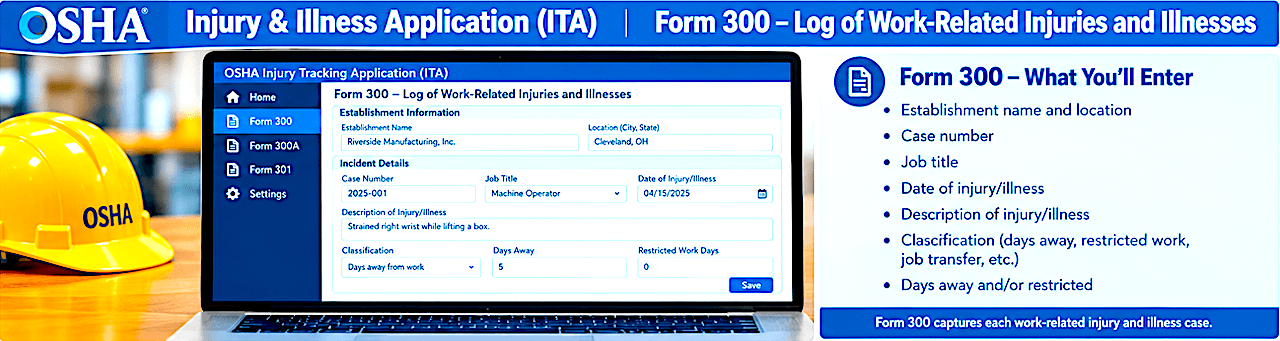
OSHA's ITA 300/301 requirement is where the newer electronic reporting rule becomes especially important for larger operations. If an establishment has 100 or more employees and is in an industry listed in Appendix B to Subpart E, it must electronically submit the required information from its OSHA Form 300 Log and Form 301 Incident Reports. The ITA does not require every establishment that submits 300A data to submit 300/301 information. The application determines the reporting requirement based on the establishment profile and 300A information.
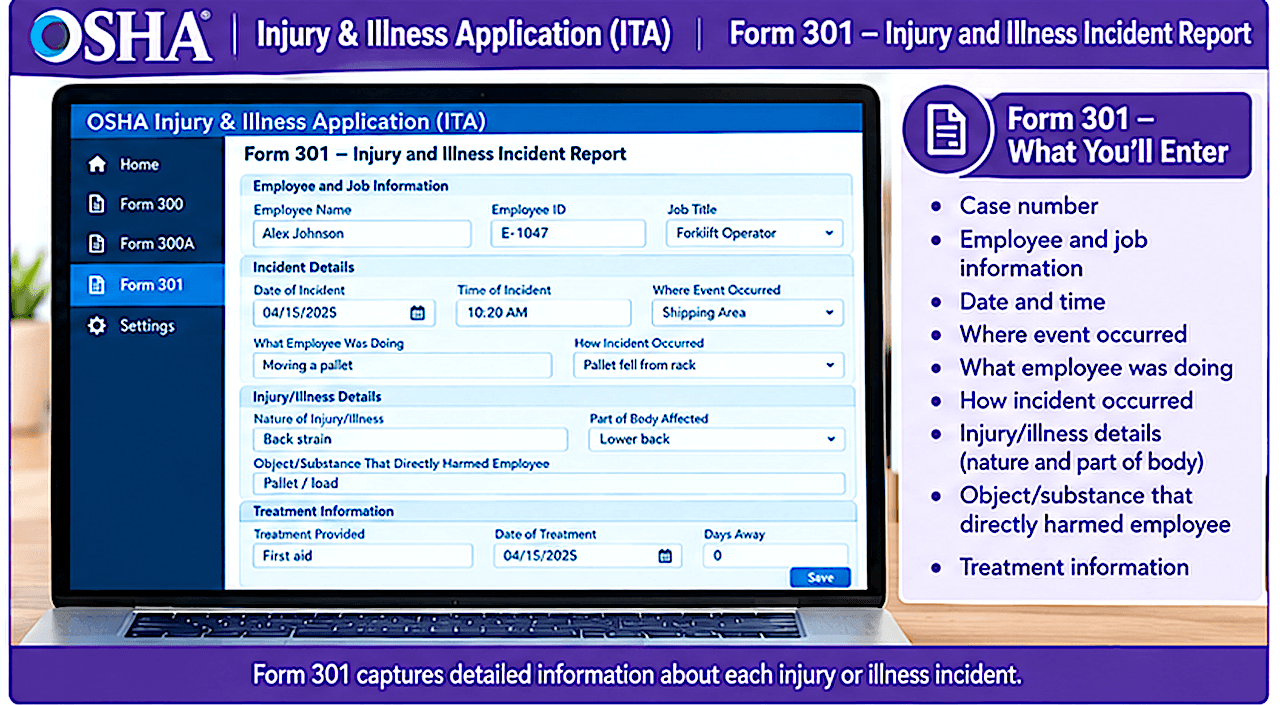
To enter cases manually, first submit the establishment's 300A information. Then open the establishment, select Add or Edit 300/301 Data, and choose +Add 300/301 Data. Enter the required information for each recordable case from the OSHA 300 and 301 forms. One critical privacy point: do not enter employee names, Social Security numbers, addresses, telephone numbers, email addresses, healthcare-provider information or family-member information into the ITA case data. OSHA specifically excludes certain identifying information from electronic submission, and its current user guide emphasizes protecting personally identifiable information.
As cases are entered, compare the number of 300/301 cases with the total cases reported on the 300A. OSHA's ITA displays a progress indicator, and the agency instructs users to make sure the number of cases entered corresponds with the totals reported on the 300A. When the information has been reviewed, return to the establishment screen and select Submit Data. The system will ask for confirmation and then provide an on-screen and email confirmation. For companies entering large numbers of cases, OSHA also provides a 300/301 CSV upload process, but the establishment's 300A data must already have been submitted and the establishment name must match exactly.
Make ITA Reporting Part of the Safety Program
The ITA should not be viewed as merely an annual government paperwork exercise. Accurate injury and illness data can help safety professionals identify patterns, evaluate controls and focus prevention efforts. For warehouse operations, that may mean looking for recurring material-handling injuries, struck-by incidents, ergonomic problems, slips and falls, or injuries associated with particular work areas or processes. The quality of those insights depends on the quality of the underlying OSHA records. Before submitting, safety managers and owner-operators should verify the establishment profile, NAICS code, peak employment, 300A totals and—when applicable—the individual 300/301 case information. OSHA's ITA User Guide also provides a submission summary report that allows users to review the status of their establishments.
The bottom line is straightforward: determine coverage, maintain accurate OSHA records throughout the year, prepare the 300A at year-end, enter the required information into the ITA, and complete the submission by March 2 of the following year. For a single warehouse, manual entry through the ITA is generally the simplest approach; companies managing many establishments may benefit from CSV or API submission. OSHA's ITA User Guide, ITA Coverage Application, and Injury Tracking Application information page provide the current instructions and should be checked each reporting season because OSHA can update its electronic reporting guidance.